


Solitaire Klondike Card Game
4.9260.00 Reviews
App Specs
- Version
- 28.5.2
- Updated On
- License
- Free
- Downloads
- 100,000+
- Developer
- DNA Mobile Group
- Categories
- Card
- Platform
- Android
Screenshots
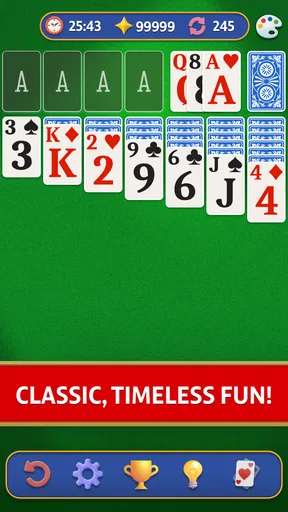
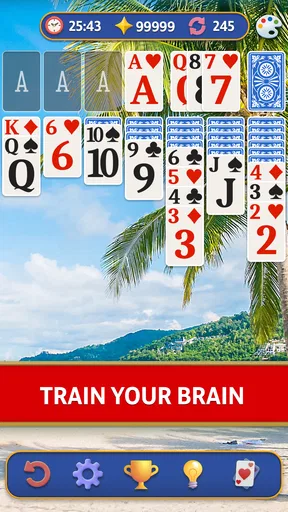
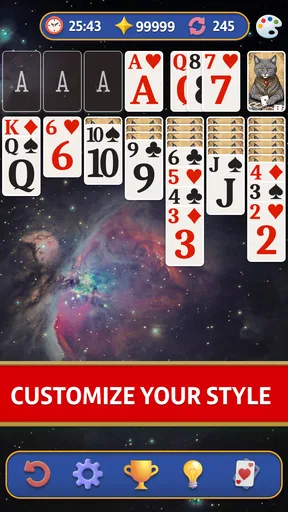
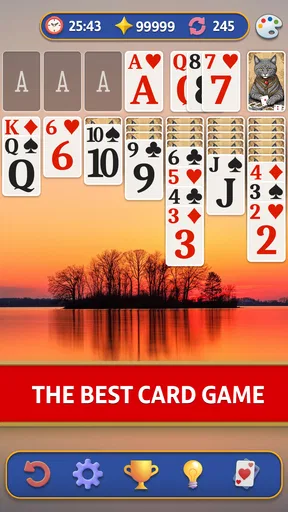
 Analysis by AppCompare
When I want a small game that asks for attention without demanding a whole evening, Klondike is an easy choice. Solitaire Klondike Card Game brings that familiar solo card puzzle to a phone, where a few deliberate moves can fill a quiet break. Its appeal is less about novelty than about settling into a recognizable routine: scan the tableau, weigh a move, and see whether the next card opens a path.
A familiar table, shaped for a phone
The game is a free card title from DNA Mobile Group, and its 4.8 average from around 2.2K ratings suggests that many players enjoy this straightforward approach. It has passed 100K installs, and its Everyone age rating makes the basic premise easy to understand for a broad audience. The current version is 28.5.2, and the game was released on August 8, 2025. Those details place it firmly in the simple-pick-up-and-play corner of mobile gaming, rather than the sprawling, story-driven end of the market.
That focus is useful in ordinary life. I can imagine opening a game while waiting for a kettle to boil, or using one round as a small screen break between tasks. Klondike does not need a plot recap or a team to coordinate with; the cards themselves provide the problem. The trade-off is equally clear: anyone seeking a changing world, competitive play, or a steady stream of new mechanics may find the familiar format too restrained.
First Impressions and Interface
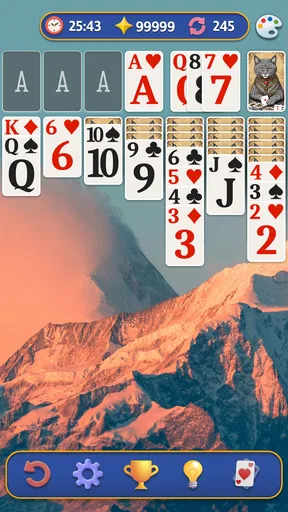
Jumping into the Solitaire Klondike Card Game app, the first thing that struck me was its clean and user-friendly interface. The developers have done a stellar job of keeping things simple yet visually appealing. The cards are easy to read, which is a big plus if you're like me and don't want to squint at your screen. The game loads up quickly, and the main menu is intuitive, so you won’t waste time trying to figure out where everything is.
Gameplay and Features
Now, onto the gameplay. If you've played Solitaire before, you know the drill. But just in case, here’s a quick refresher: your goal is to move all the cards to the foundation piles, starting with the Ace and working your way up to the King. The app offers both draw one and draw three card options, catering to both beginners and seasoned pros. This flexibility is great, especially if you want to challenge yourself.
One feature I particularly enjoyed is the hint system. Sometimes you just hit a wall and need a nudge in the right direction, and the hints here are subtle yet helpful. Plus, there’s an undo option, which honestly feels like a lifesaver when you make an accidental move.
Using hints and undo with intent
I get the most value from a hint when I have already checked the obvious moves and want help spotting a less visible possibility. It is better used as a prompt to inspect the layout than as an automatic answer: pause, look at the newly highlighted option, and decide whether it actually advances your position. Undo is useful in the opposite way. If I move a card and immediately notice that it blocks a more promising sequence, I can back up and compare the two choices instead of treating the first move as final.
Worth Reading Before You Choose

Switching to Android Auto Means Rethinking Your Driving Routine

Google Calendar Makes a Crowded Week Easier to Manage

Baby Panda World Brings Quick Play to Modern Phones, but Its Game Library Feels Busy

ESPN’s Live Game View Makes Following Close Games Easier

QuizzLand Review: A Good Fit for Short Trivia Breaks, Not Every Player

Basketball Stars: Multiplayer Is Fast, but Can It Recover When Matches Go Wrong?
This makes the pair especially practical for newer players learning how tableau moves affect later options. They can experiment without turning every mistake into a restart. More experienced players may prefer to leave hints alone and use undo only for mis-taps, since relying on prompts can take some of the deduction out of a game whose main pleasure is planning ahead.
Customization and Personal Touches
Who doesn’t love a bit of personalization? The game allows you to customize your card backs and backgrounds. Whether you’re in the mood for something classic or a bit more wild, there’s something for everyone. I switched mine up to a cool ocean theme, and it definitely made the experience feel more personal.
Visual mood and readability
In a card game, art direction has a practical job as well as a decorative one: the suits and ranks must stay easy to distinguish while the table remains comfortable to look at. The readable cards matter more to me than a flashy background, especially when I’m playing on a smaller screen or glancing down between other tasks. A change of card back or backdrop can freshen the table, but it should not distract from the central puzzle.
My useful rule is to choose the clearest combination for longer sessions and save a more expressive background for short, casual rounds. If a design makes the card faces harder to pick out at a glance, it is not worth keeping just because it looks attractive. This is a small choice, but it shows how the app’s personalization can serve comfort rather than merely decoration.
Sound and Music
Let’s talk about the sound for a moment. The game comes with a set of soothing background tunes which, surprisingly, didn’t get on my nerves even after a long playing session. If you’re someone who prefers silence, you can easily toggle the music off. Personally, I found the gentle music added to the relaxing vibe.
A pace that suits short breaks
The calm presentation supports the measured pace of Klondike: there is no opponent forcing a quick response, so I can consider a move, pause, or leave the game when real life interrupts. That makes it a better fit for a waiting room or a quiet commute than a game built around timed rounds. The music can help make a longer stretch feel settled, though I would mute it in a noisy place or when listening to something else.
One practical habit is to decide before opening the game whether I want a quick round or a longer attempt. In a short break, draw-one play can feel more forgiving and less demanding; when I have time to think through the tableau, draw three gives the familiar format a sharper planning edge. Either way, the unhurried rhythm is part of the appeal, not a sign that every hand will be easy to solve.
Challenges and Daily Goals
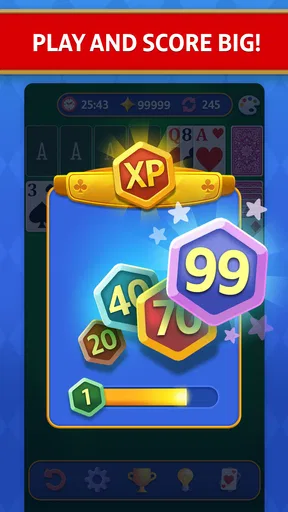
One of the highlights of this app is its daily challenges. These give you specific goals to achieve, adding a layer of excitement to your usual solitaire routine. Completing these challenges can earn you rewards, which is a nice little incentive to keep coming back. It’s a smart move by the developers to keep players engaged, and it definitely worked on me!
Keeping goals enjoyable, not obligatory
Daily goals work best for me as an optional reason to return, rather than a schedule I feel obliged to maintain. If I have only a minute, I can decide whether a challenge sounds worthwhile; if I am not in the mood, the ordinary card game is still the main attraction. That distinction matters for players who dislike streak pressure or collections of chores layered over a simple pastime.
They also give a useful change of emphasis without changing the basic rules. A goal can make me approach a familiar layout with more care, but it does not transform Klondike into a different genre. Players who want each session to introduce a new system or a narrative surprise should look elsewhere; players who like a small nudge toward another round may appreciate the extra purpose.
Ads, purchases, and expectations
Now, let’s address the elephant in the room—ads. Yes, they’re present, but they are not overly intrusive. They usually pop up between games and are easy to skip after a few seconds. Plus, there’s an option to remove ads with a small fee, which is always appreciated.
The game is free to download, while optional in-app purchases range from $1.99 to $19.99 per item. I would treat those purchases as extras rather than something needed to understand Klondike. If you are deciding whether to spend, first play enough to learn whether you like the pace and presentation; a paid option makes more sense only if the ad interruptions bother you or you value the additional choices it offers. The key trade-off is simple: free access lowers the barrier to trying it, while ads can break the calm flow for players who want an uninterrupted table.
How it compares with other solitaire choices
Compared with a physical deck, this version removes setup and cleanup, and the hint and undo tools make experimentation less punishing. A real deck, on the other hand, offers tactile handling and no phone notifications competing for attention. Against other mobile solitaire games, the familiar draw-one and draw-three choices are the main point of comparison: they let a casual player keep the game accessible or make each sequence more demanding without changing to a different card game.
I would choose this app over a more elaborate card title when I want a solo puzzle with little preparation. I would choose a multiplayer card game if the social conversation or rivalry is the point, and a richer strategy game if I want progression and a wider range of decisions. Klondike’s strength is that its basic loop stays legible; its limitation is that the same loop may feel repetitive when I want more variety.
Who will enjoy it—and who may not
This is a sensible pick for someone who already likes Klondike, a newcomer who wants to learn through low-pressure play, or anyone who prefers a quiet game that can be paused between everyday interruptions. The clear cards, optional help, and choice between draw modes give different kinds of players room to settle into their own pace.
I would skip it if I needed a game that reliably occupies a long session with new content, live competition, or a strong story. It is also not my first choice when I want to avoid ads entirely without paying, or when I am trying to keep my phone out of a short break. A familiar game can still absorb attention, so it helps to set a stopping point before starting if I only have a few minutes.
Conclusion
All in all, the Solitaire Klondike Card Game app is a wonderful digital rendition of a classic game. It captures the essence of traditional solitaire while adding modern touches that enhance the user experience. Whether you're a long-time fan or new to the game, this app offers a delightful way to pass the time. So go ahead, give it a whirl, and enjoy a little slice of card game heaven right on your phone.
My recommendation comes with one condition: treat it as a focused, familiar pastime, not as a game that promises endless novelty. I like that I can adjust the challenge, use help when learning, and make the table feel more like my own. The occasional ad and the limited scope are real considerations, but for a calm solo card puzzle between errands or during a quiet evening, they do not outweigh the convenience.
Pros
- Classic gameplay with intuitive controls.
- Offline mode available for uninterrupted play.
- Daily challenges keep the game engaging.
- Customizable card backs and themes.
- Smooth animations and fast load times.
Cons
- Ads can be intrusive between games.
- Limited hints available for free users.
- No multiplayer or social features.
- In-app purchases can be pricey.
- Occasional lag on older devices.
FAQs for Solitaire Klondike Card Game
What platforms is Solitaire Klondike Card Game available on?
Solitaire Klondike Card Game is available on both Android and iOS platforms. You can download it from the Google Play Store for Android devices and from the Apple App Store for iOS devices. The app is optimized for both smartphones and tablets, ensuring a seamless gaming experience across all devices.
Is Solitaire Klondike Card Game free to play?
Yes, Solitaire Klondike Card Game is free to download and play. However, it may include in-app purchases and ads. These purchases typically offer enhancements such as additional card designs or ad-free gameplay. While spending is optional, these features can enhance your gaming experience.
Does Solitaire Klondike Card Game require an internet connection?
No, Solitaire Klondike Card Game does not require an internet connection to play. This makes it an excellent option for users who wish to enjoy the game offline or while on the go. However, some features, such as updates or in-app purchases, will require connectivity.
What are the main features of Solitaire Klondike Card Game?
Solitaire Klondike Card Game offers a classic card-playing experience with modern enhancements. Key features include customizable card backs, unlimited undo options, daily challenges, and a hint system to assist players. The game also tracks your statistics, allowing you to monitor your progress over time.
Are there any accessibility options in Solitaire Klondike Card Game?
Yes, Solitaire Klondike Card Game includes several accessibility options to enhance the gaming experience for all users. These features might include adjustable text sizes, screen contrast settings, and sound control options. Accessibility features ensure that everyone can enjoy the game comfortably.


